
What's new · v0.1.69
See what your data engineering agent built
Seven read-only views show what a Domain defines, what an Intent changed, where an asset comes from, how the last run went and what state the data is in.

Inspecting the work used to mean opening the repo, finding the run, and guessing whether the model or the data was wrong. Seven read-only views now answer those questions in the conversation, beside the change they describe.
Ask what exists
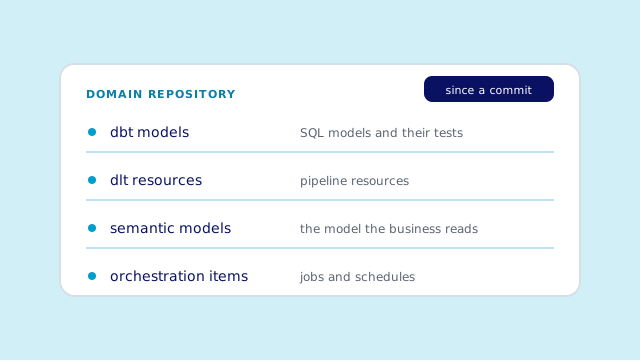
What the Domain defines. One view lists the dbt models, dlt resources, semantic models and orchestration items in the Domain's repository, with a
sincecommit to mark what changed. Ask for one of them and the answer explains it, with its latest result.Ask what changed
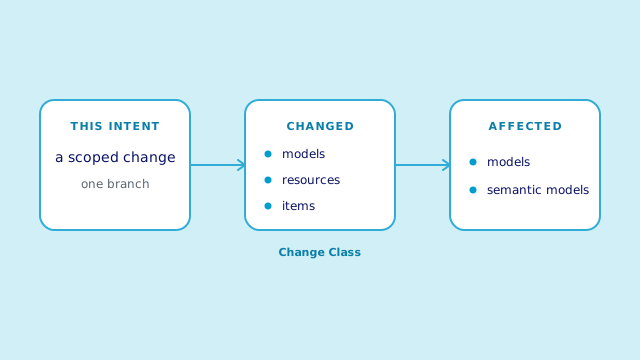
What the Intent changed, and who reads it. One view names what this Intent changed, its Change Class and who is affected. Another shows where an asset comes from and what uses it, so a change to one model does not hide its downstream readers.
Ask whether it works
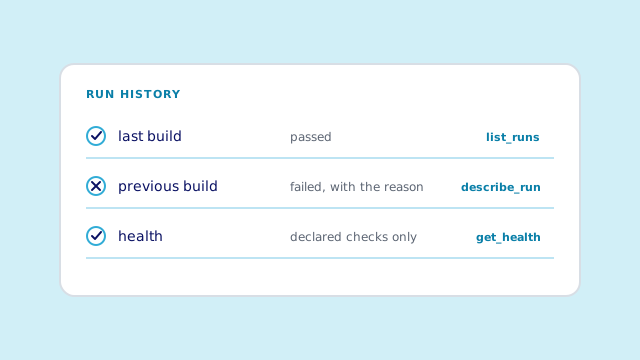
How the runs went, and what the data shows. Two views show how recent runs went and why the last build failed. A third compares the data only with the expectations the repository declares, so it reports what is known.


Before Open the repository, read the diff, find the failing run in the logs and guess whether the model or the data is wrong.After Ask the conversation. The card names the changed models, the affected assets, the latest run and the declared checks.
The views report facts. You decide what they mean.